
8.22.2012


6.19.2012
Phonto: a tutorial {PC/Windows Version}
**NOTE:I had a little issue with this today. If you install more than 30
fonts (yes, I have 100's to choose from), it may cause the app to
crash. I had a chat with the developer and this was his advice. Keep it
under 30, people, or you might run into some issues! Good luck!
You will follow the same basics steps as the MAC version only your font directory will be in a different location.
*Windows 7 version:
1. Open iTunes. Connect iPhone for faster transfer of files.
2. Click on iPhone device (i.e. Mine is Lindzie Head).
3. Click on Apps section. Scroll down to File Sharing. Double Click on Phonto.
4. Click Add... button
5. Locate File directory for your Fonts on your computer.
Windows 7 refers to it as Font Manager
Start > Control Panel > Fonts
or
C:\Windows\Fonts
** If any of you need a different version of Windows, let me know. I'll see what I can find for you**
6. Click on the font you want to add and Viola!
Font of choice can now be used.
7. Sync iPhone to ensure changes.
Will get some screen shots up soon.
You will follow the same basics steps as the MAC version only your font directory will be in a different location.
*Windows 7 version:
1. Open iTunes. Connect iPhone for faster transfer of files.
2. Click on iPhone device (i.e. Mine is Lindzie Head).
3. Click on Apps section. Scroll down to File Sharing. Double Click on Phonto.
4. Click Add... button
5. Locate File directory for your Fonts on your computer.
Windows 7 refers to it as Font Manager
Start > Control Panel > Fonts
or
C:\Windows\Fonts
** If any of you need a different version of Windows, let me know. I'll see what I can find for you**
6. Click on the font you want to add and Viola!
Font of choice can now be used.
7. Sync iPhone to ensure changes.
Will get some screen shots up soon.
6.13.2012
(UPDATED) Phonto: A tutorial {MAC version}
**NOTE:I had a little issue with this today. If you install more than 30 fonts (yes, I have 100's to choose from), it may cause the app to crash. I had a chat with the developer and this was his advice. Keep it under 30, people, or you might run into some issues! Good luck!
 I've been using some pretty cool apps on my iPhone. One that was recommended to me was Phonto. Phonto allows you to add text to pictures and even create a blank template (a .99 cents add-on). They recently released a new update that allows you to install your own fonts - OTF or TTF file types. So cool as I have hundreds of fonts that I have purchased from scrapnfonts.com, rhonnadesigns.com, houseof3.com (no longer available), and various free sites - dafont.com, losttype.com, fontsquirrel.com to name a few.
I thought I'd make a quick tutorial on how to get those fonts on your iPhone. Here it goes:
*MAC version:
1. Open iTunes. Connect iPhone for faster transfer of files.
2. Click on iPhone device.
3. Click on Apps section. Scroll down to File Sharing. Double Click on Phonto.
4. Click Add... button
5. Locate File directory for your Fonts on your computer.
[Your Home User Directory] (in my case Lindz) --> Library --> Fonts
6. Click on the font you want to add and Viola! Font of choice can now be used.
7. Sync iPhone to ensure changes.
Enjoy and I will try to get a version up for a PC soon.
I thought I'd make a quick tutorial on how to get those fonts on your iPhone. Here it goes:
*MAC version:
1. Open iTunes. Connect iPhone for faster transfer of files.
2. Click on iPhone device.
3. Click on Apps section. Scroll down to File Sharing. Double Click on Phonto.
 |
| Click on apps section. Scroll to File Sharing |
 |
| Double Click Phonto |
4. Click Add... button
5. Locate File directory for your Fonts on your computer.
[Your Home User Directory] (in my case Lindz) --> Library --> Fonts
 |
| Font Directory location |
 |
| Font has been added |
Enjoy and I will try to get a version up for a PC soon.
6.12.2012
Fathers are so {special}
A little card I put together via PSE. Used some elements from Stampin! Up and Miistina at Sugarhill Co.


6.03.2012
Come Sail Away
I apologize that some of these pictures aren't the greatest, but I was so excited to get to create something with Rhonna Designs new line Nautical Chic that I couldn't want to take decent pictures tomorrow!
I'm co-teaching with Amber over at Stampin Crazed for a journal/family traditions class for our church. I decided to use a compositional notebook and make it my own. I used this to create my buttons on the front and this of the sayings on the front, inside cover, and back inside cover. I really like these colors and how the whole came together! I decided to use a red duck tape sheet to cover the black binding. Hope you enjoy!


 Lined pages with printable kit
 Lined pages - I'm not afraid of storms for I'm learning to sail my ship
I'm co-teaching with Amber over at Stampin Crazed for a journal/family traditions class for our church. I decided to use a compositional notebook and make it my own. I used this to create my buttons on the front and this of the sayings on the front, inside cover, and back inside cover. I really like these colors and how the whole came together! I decided to use a red duck tape sheet to cover the black binding. Hope you enjoy!

Front Cover - thicker letters

Buttons and quote art


Inside Front Cover - "Look at all the beauty in your life. Be happy"
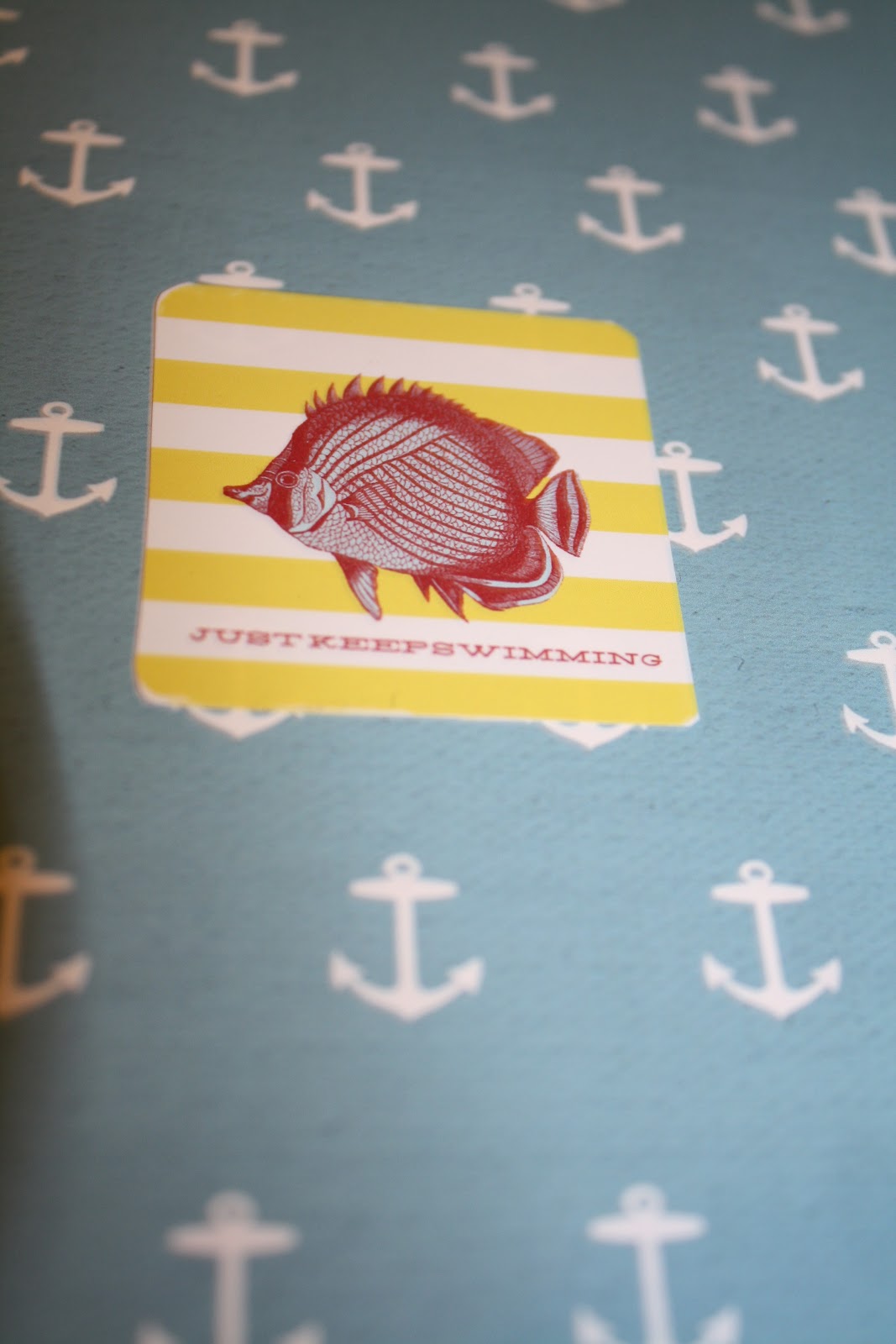

Inside Back Cover - Just Keep Swimming


Back outside cover


6.02.2012
For the birds
My neighbor (shout out to Audrey!) made a cute game involving fish, numbers and searching for her son. It's a great rainy day activity so I thought I would wipe the dust off my Silhouette Cameo and make a game of my own. I couldn't find a decent fish shape for the Silhouette (as I'm sure they are out there) so I opted for a bird shape I already owned. I cut the numbers out on different brightly colored paper (of my daughter's choosing) and print and cut the names of the numbers onto the shape. I figured I might as well laminate them too. :) My tools have been gathering dust in the basement! I thought this little project turned out pretty good. Enjoy!
If you don't own a silhouette, I found this free template:
FISH
You could print this template out on colored cardstock/heavy weight paper and write the numbers on them. Same idea and quick!


If you don't own a silhouette, I found this free template:
FISH
You could print this template out on colored cardstock/heavy weight paper and write the numbers on them. Same idea and quick!


5.08.2012


Subscribe to:
Posts (Atom)